Master CV
Your general CV, built from your confirmed profile.
- Changes only when you edit your profile or upload a new CV.
- Every job is compared with it.
Build one accurate CV, prepare it honestly for a specific job, and get ready for that interview. Add a public Digital Profile only if you want one. You approve every change.
Start with one accurate master CV. Everything else in SINEVIQ builds on it.
Sign in, then open My CVSign in and choose Upload Resume (PDF, DOCX or TXT). No CV to hand? Choose Enter Details Manually and describe your experience instead.
A photo is optional. You can choose Do this later; nothing is shown publicly unless you publish.
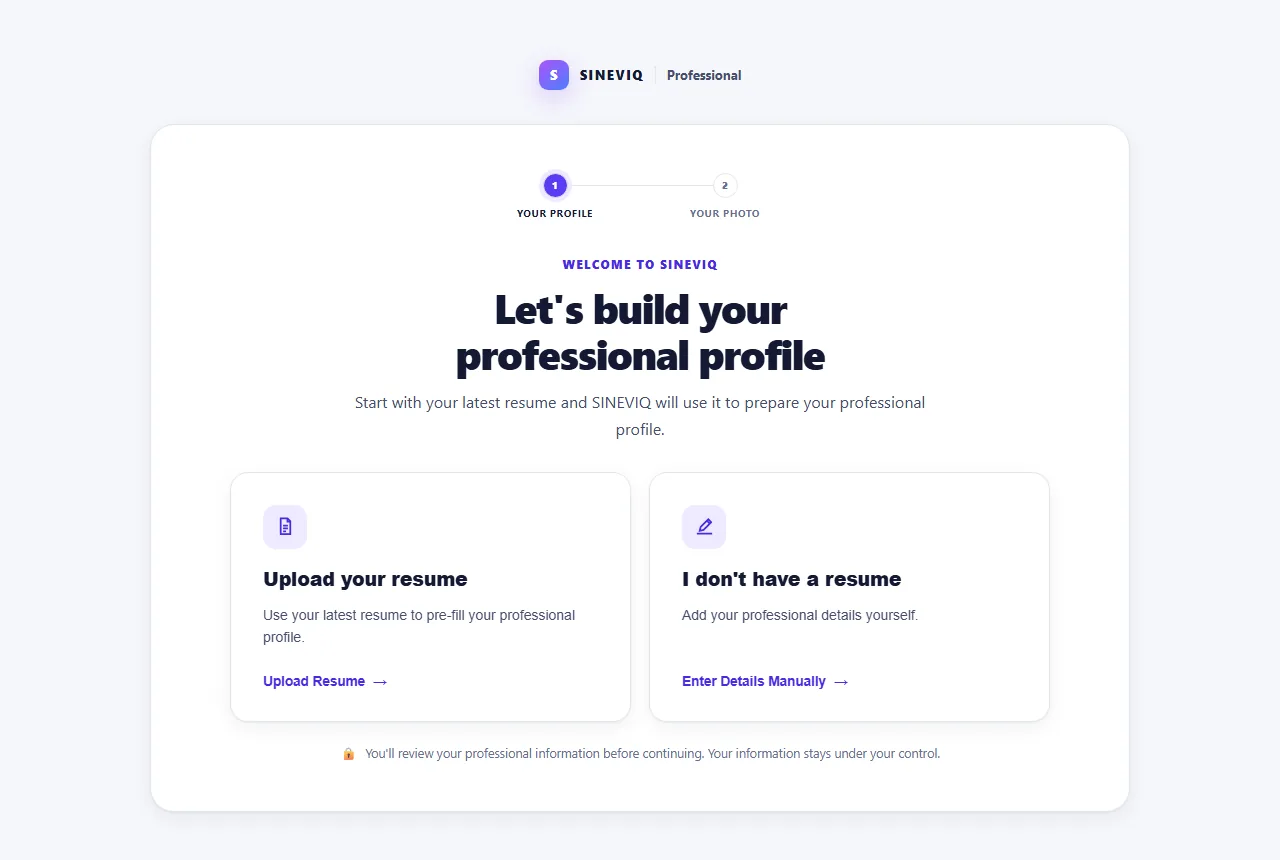
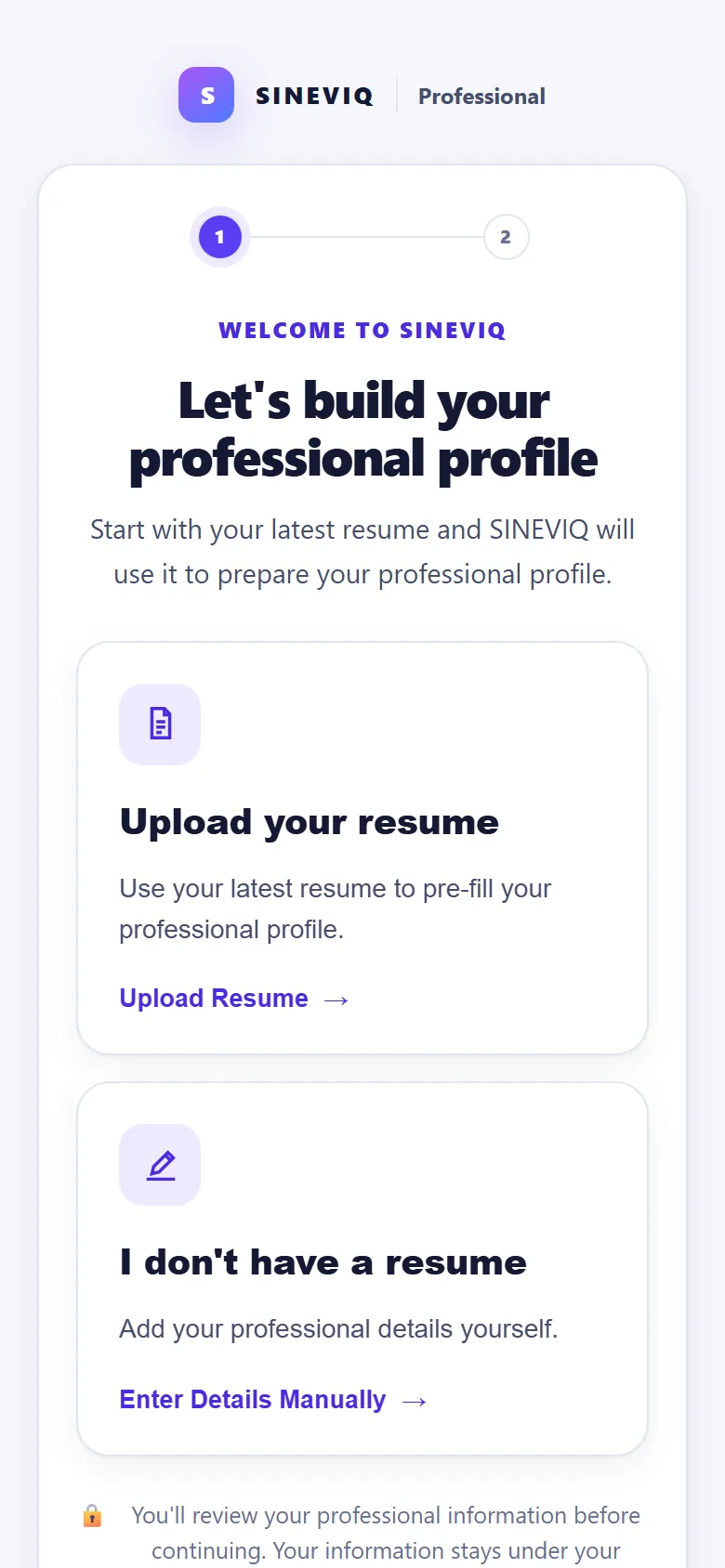
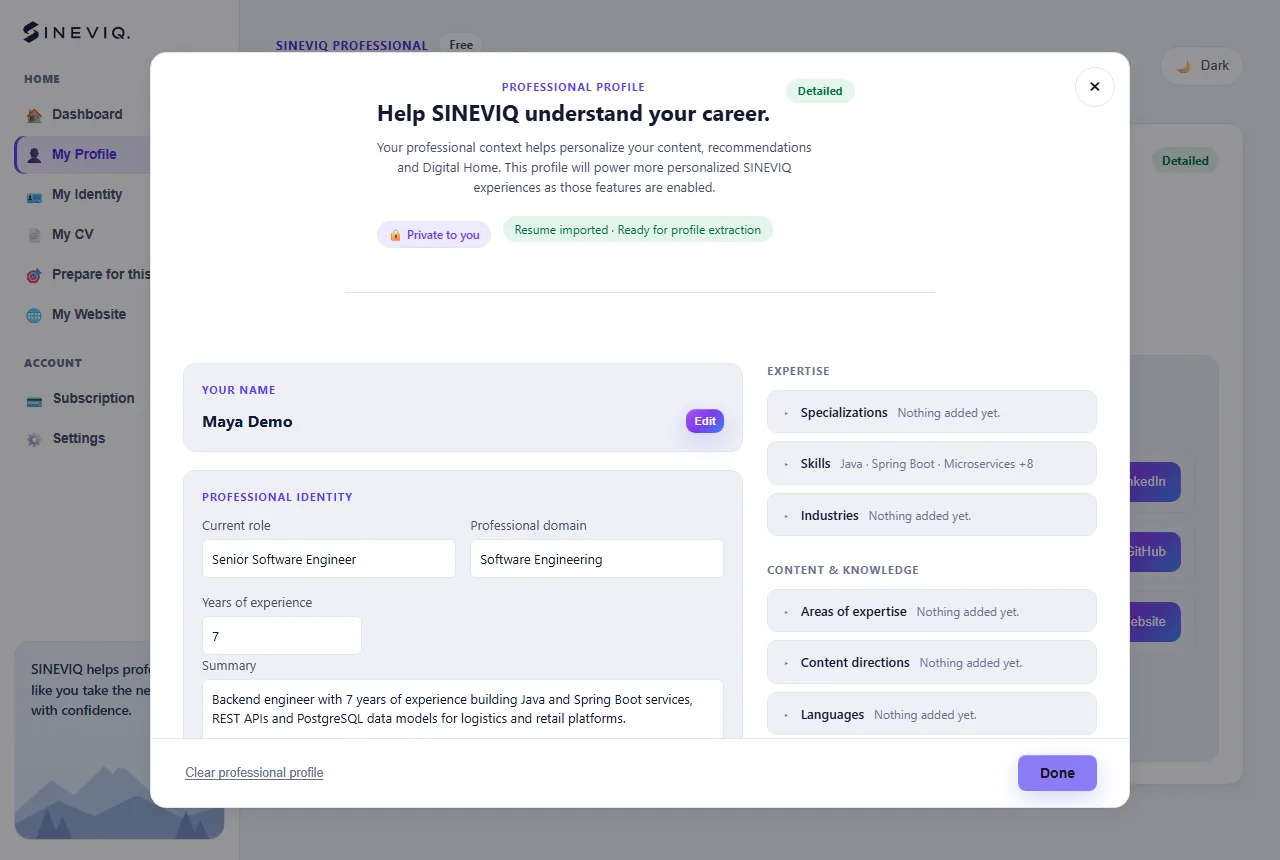
SINEVIQ reads your CV and shows your role, summary, skills, work history, education and certifications. It stays private until you confirm: choose Edit details to fix anything, or Looks good.
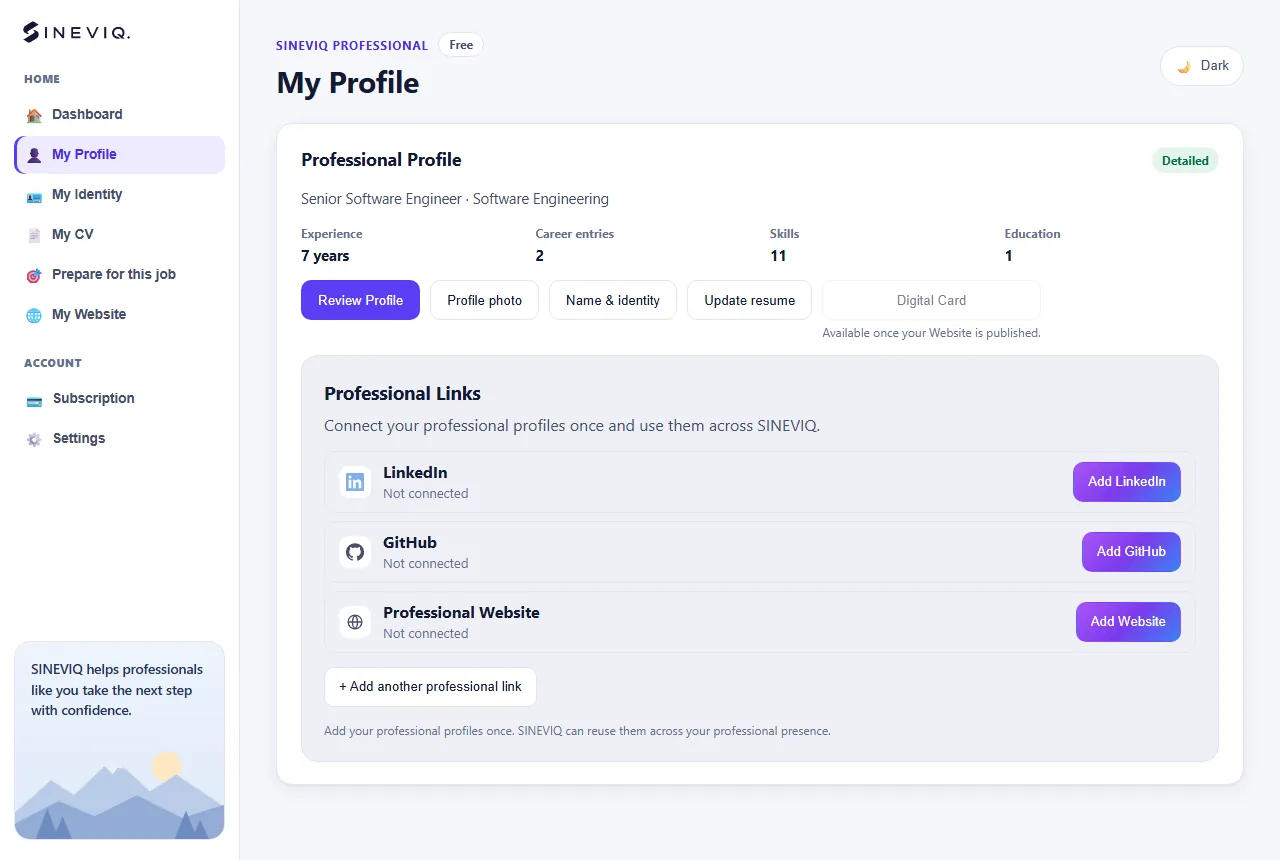
Open My Profile and choose Review Profile to change the facts your CV is built from: role and summary, experience, education, certifications, projects and skills. Choose Update resume to import a newer CV.
Open My CV and choose View / Download CV to preview your master CV and download it as a PDF.
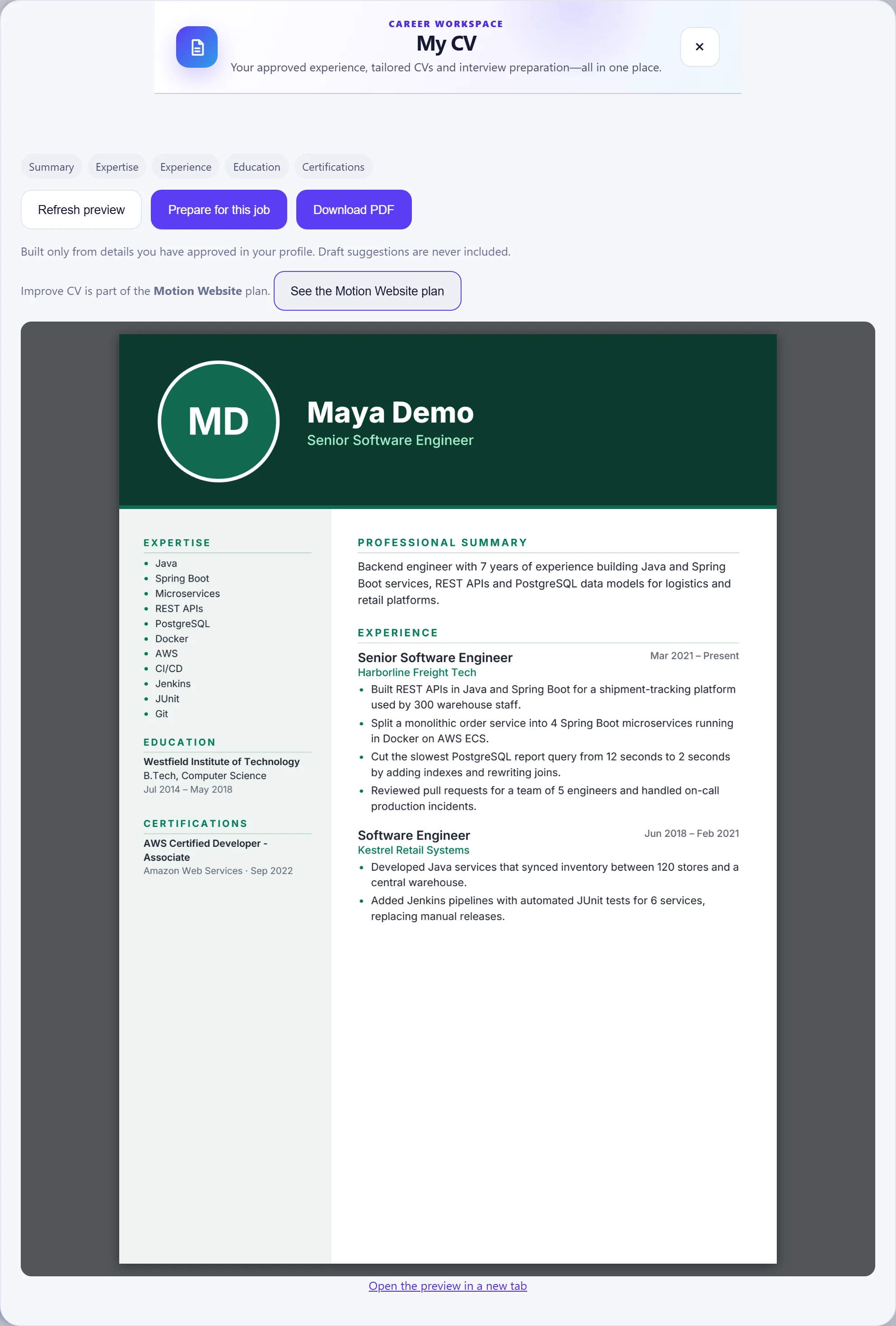
Your general CV, built from your confirmed profile.
A separate version created for one saved job.
Turn your master CV into an honest, job-specific CV for one role, and stay in control of every change.
Sign in, then open Prepare for this jobOpen Prepare for this job, paste the complete job description (responsibilities, required skills and anything listed as good to have) and choose Format and analyze.
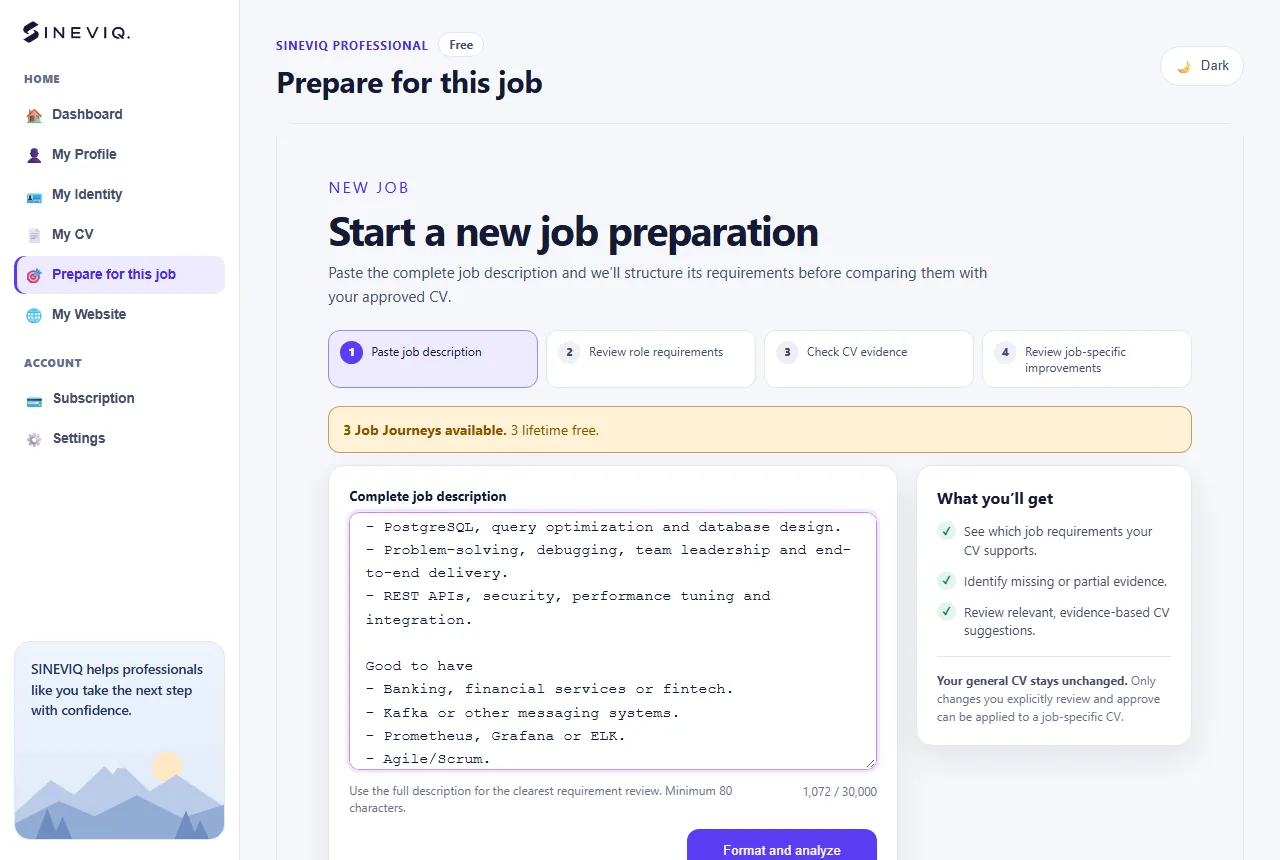
SINEVIQ turns the description into a title, company and list of requirements, and asks you to check it first. Edit any requirement, change whether it is required or preferred, or change its category. Matching uses exactly the version you approve.
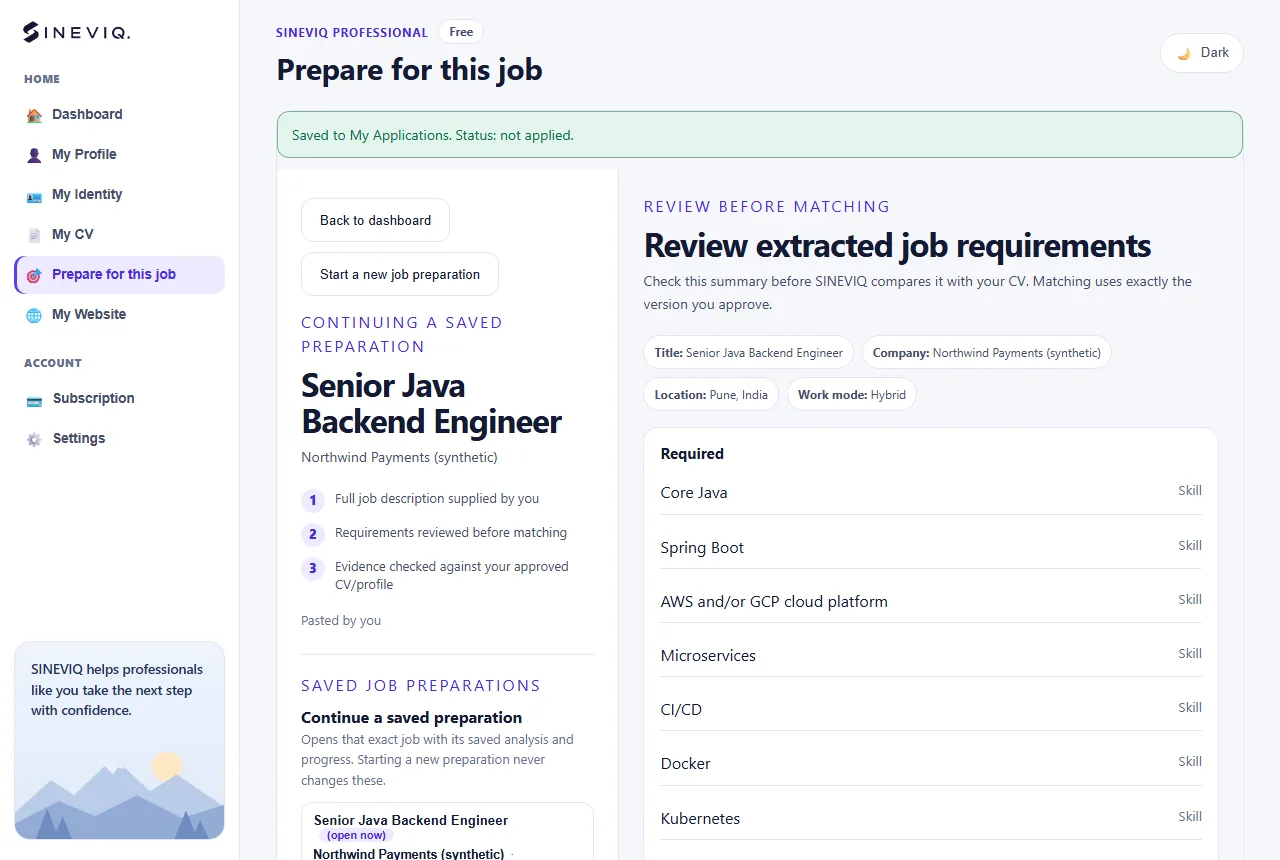
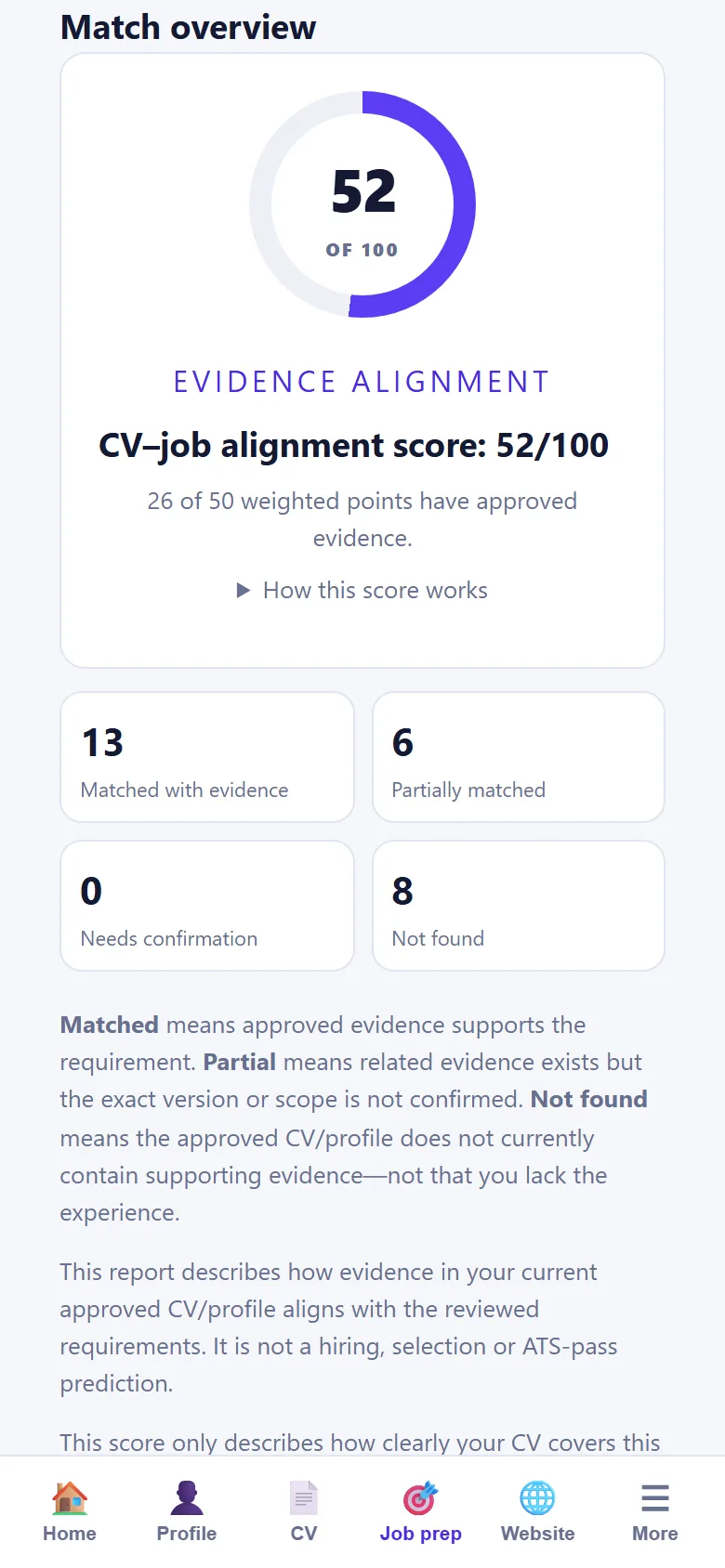
The Match snapshot compares the approved requirements with the evidence in your CV: what is matched, what is partial and what isn’t shown yet, quoting your own CV.
The alignment score only describes how clearly your CV covers this description. It isn’t a prediction of being shortlisted or hired, and it isn’t an ATS pass score.
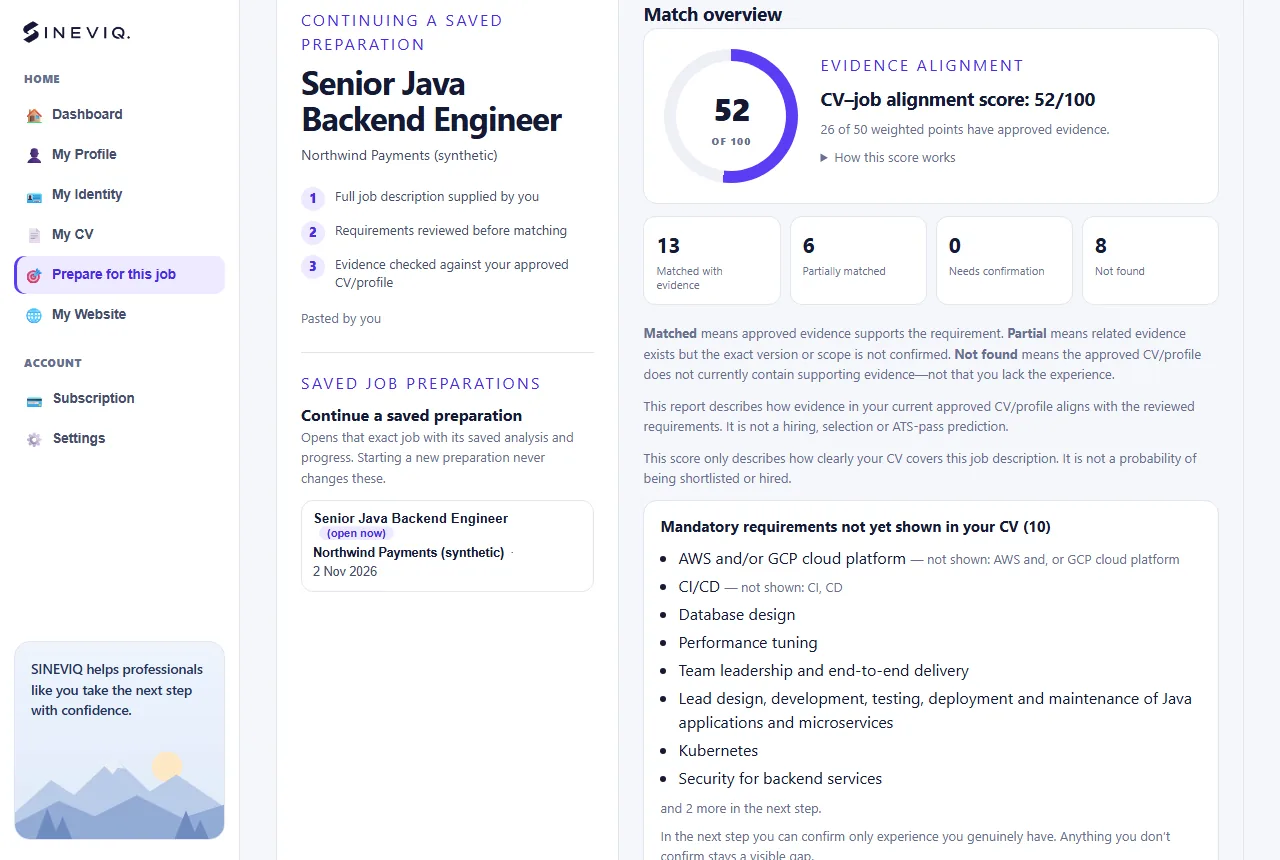
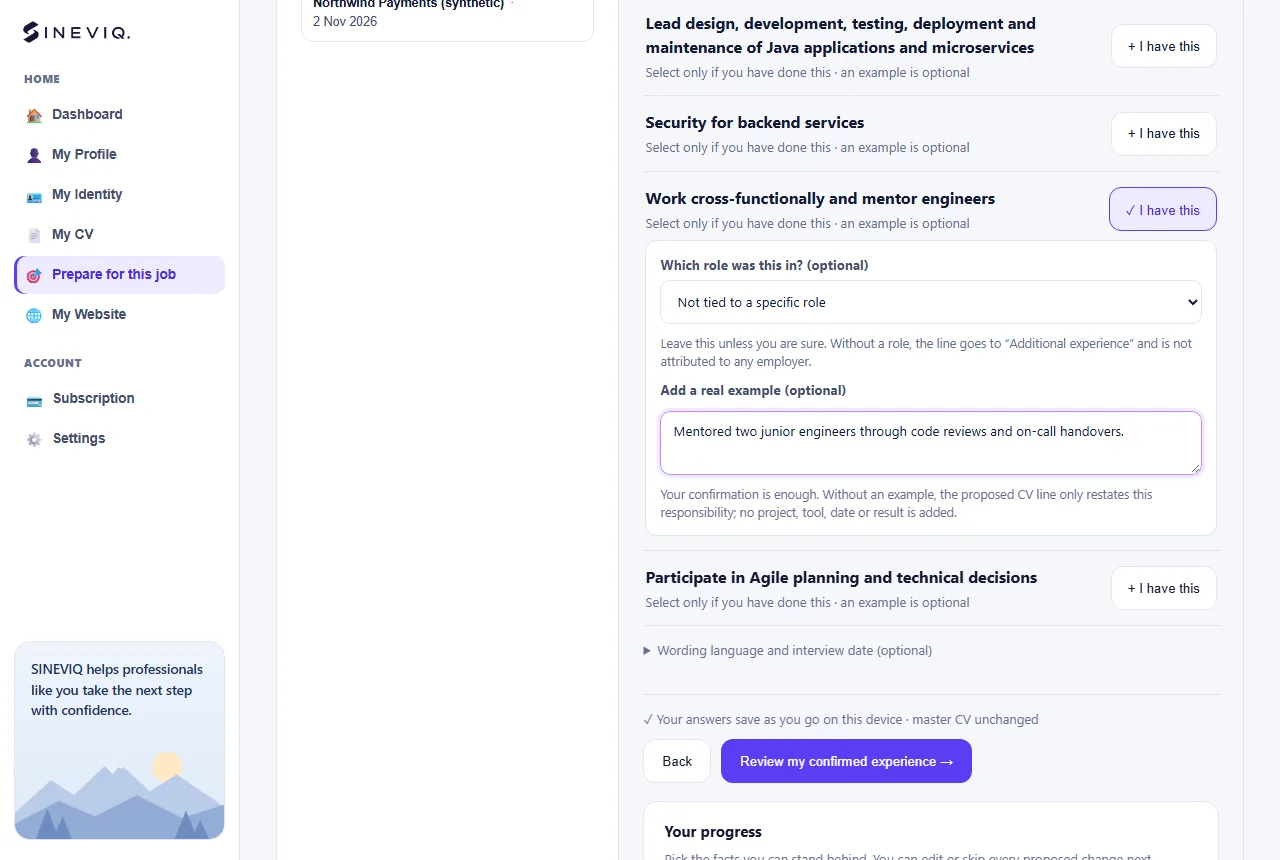
In Confirm experience, choose I have this only for requirements you have genuinely done, and add a short real example if you like. Anything you leave untouched stays a visible gap; you never have to answer “No”.
SINEVIQ doesn’t verify what you confirm, so confirm only what you can stand behind in an interview.
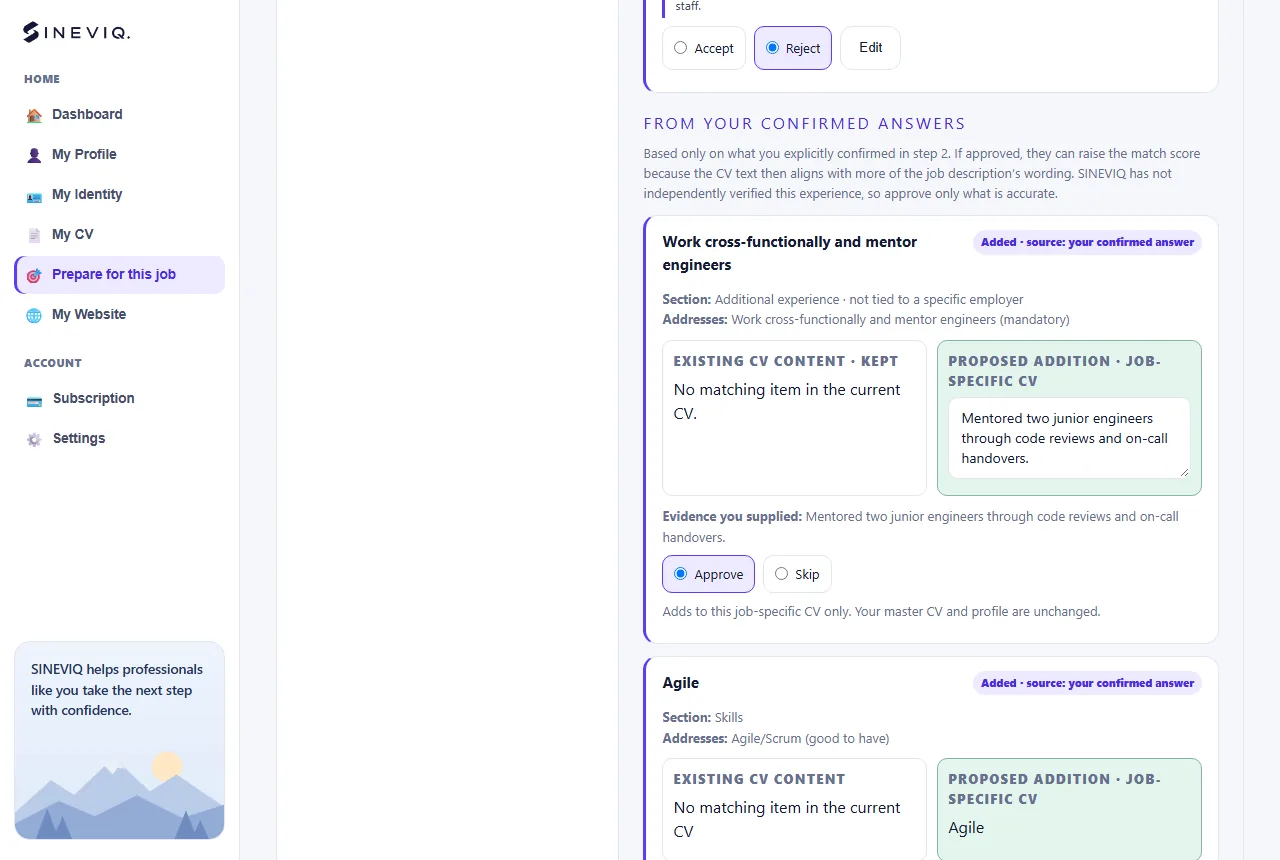
In Approve CV edits, every proposal shows your current wording, the suggested wording and the CV evidence behind it. Accept, Reject or Edit each one. Lines based on your confirmed answers are listed separately; Approve or Skip them one by one.
Nothing is created until you choose to create the job-specific CV.
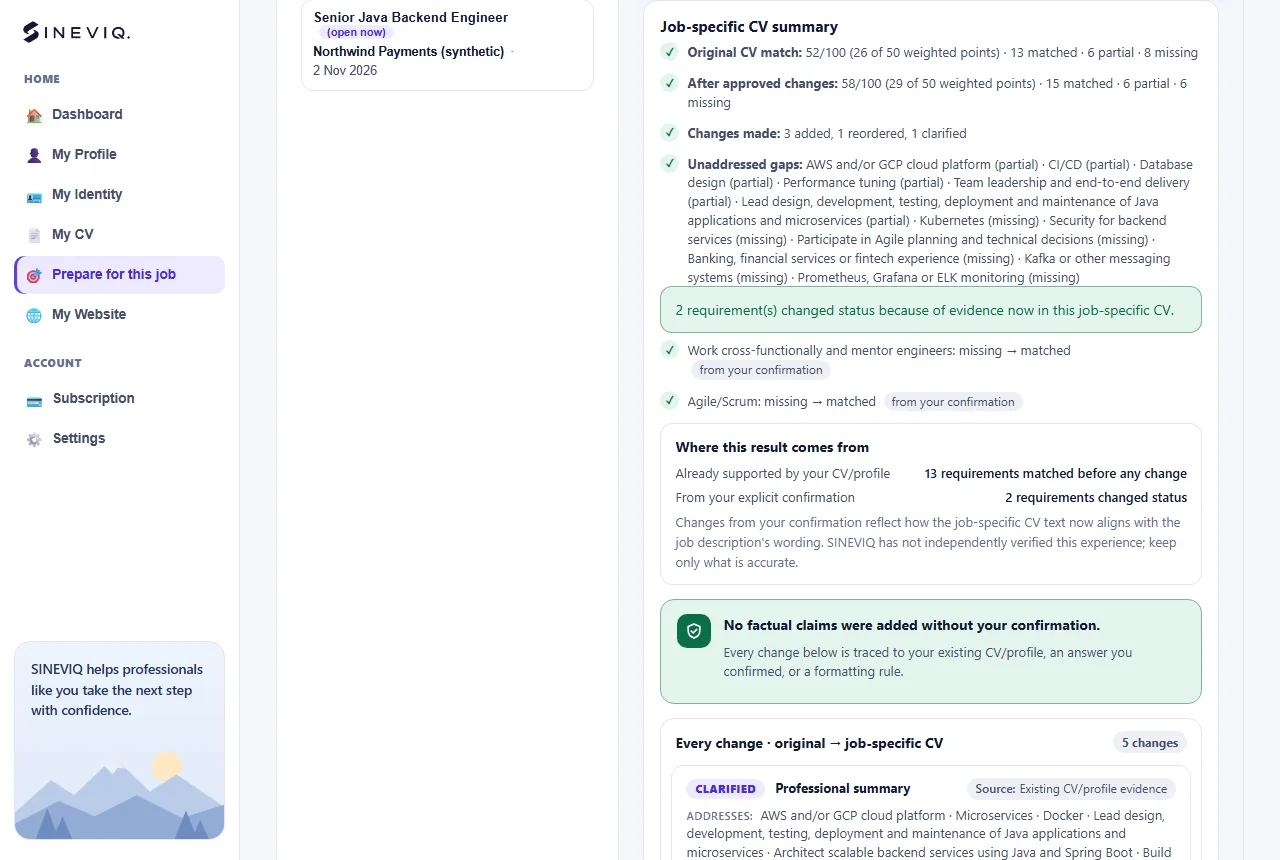
Compare & export lists every change, where it came from (your CV or your confirmed answer) and the requirements that are still gaps, so you know what to be ready to discuss.
Preview the approved job-specific CV and download it as a PDF. It is saved with the job as its own version; your master CV is unchanged.
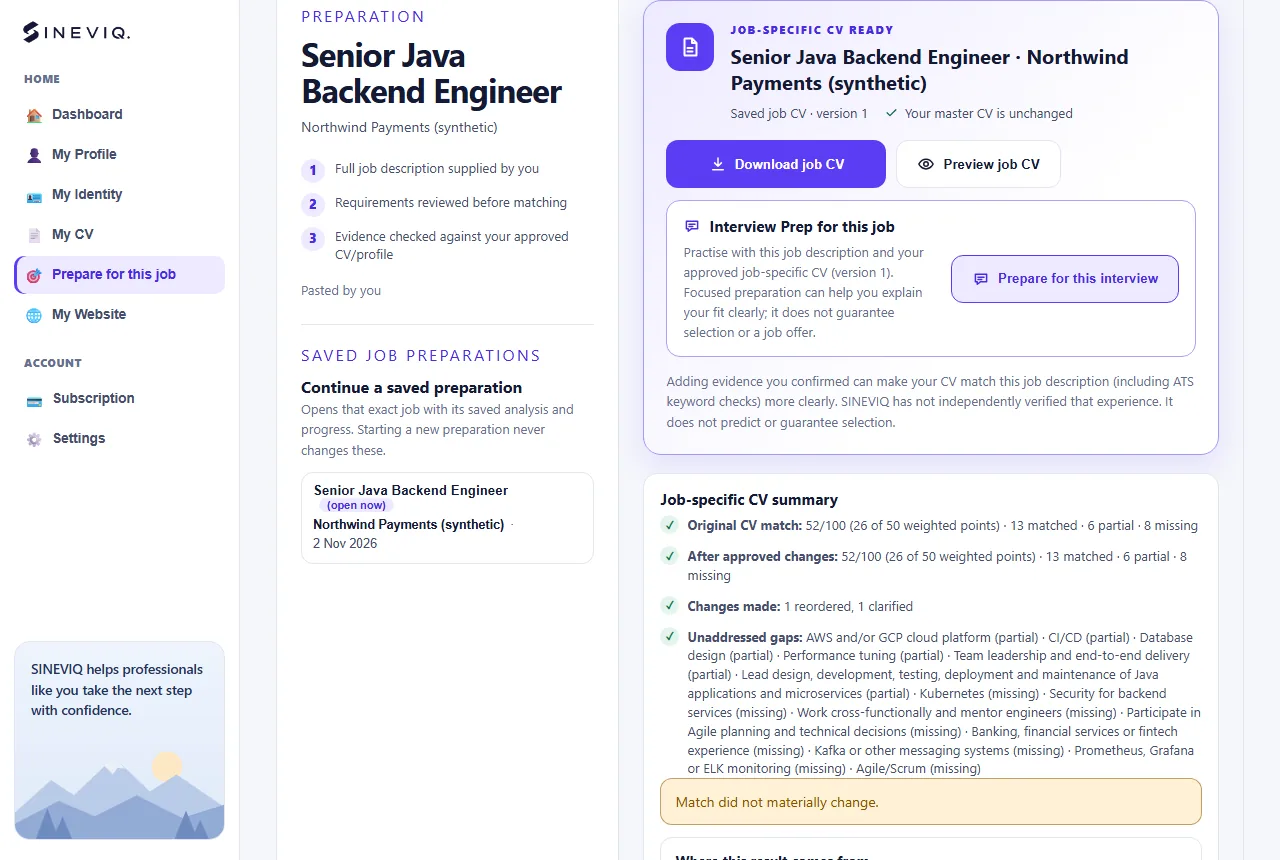
Every job you paste is saved in My Applications with its description, CV versions and progress. From a saved job you can:
Use Continue a saved preparation to reopen a job exactly where you left it.
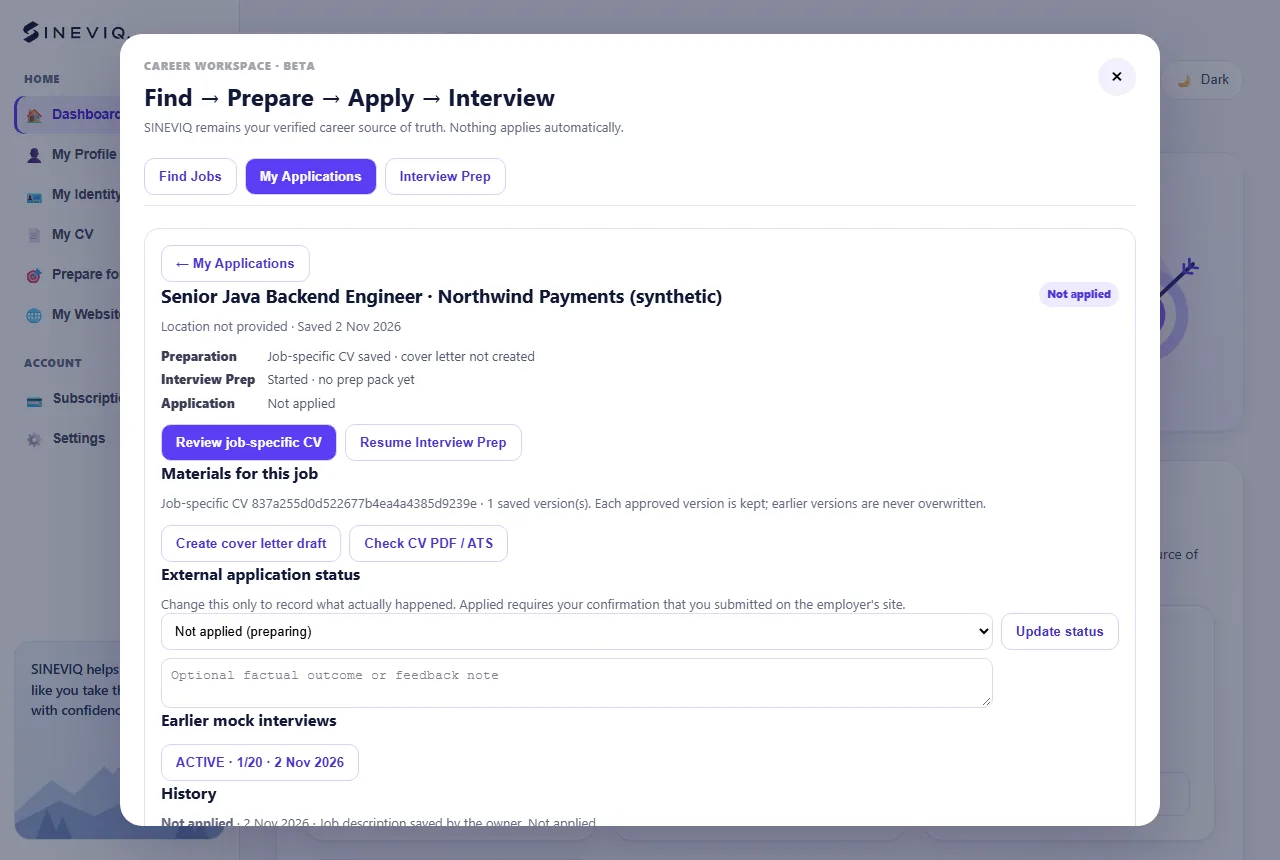
Prepare for a specific round of a specific job, using only evidence you can back up.
Sign in, then open Interview PrepAfter preparing a job, choose Prepare for this interview, or open the job in My Applications and choose Interview Prep. It reuses the saved description and your approved job-specific CV, so you don’t paste anything again.
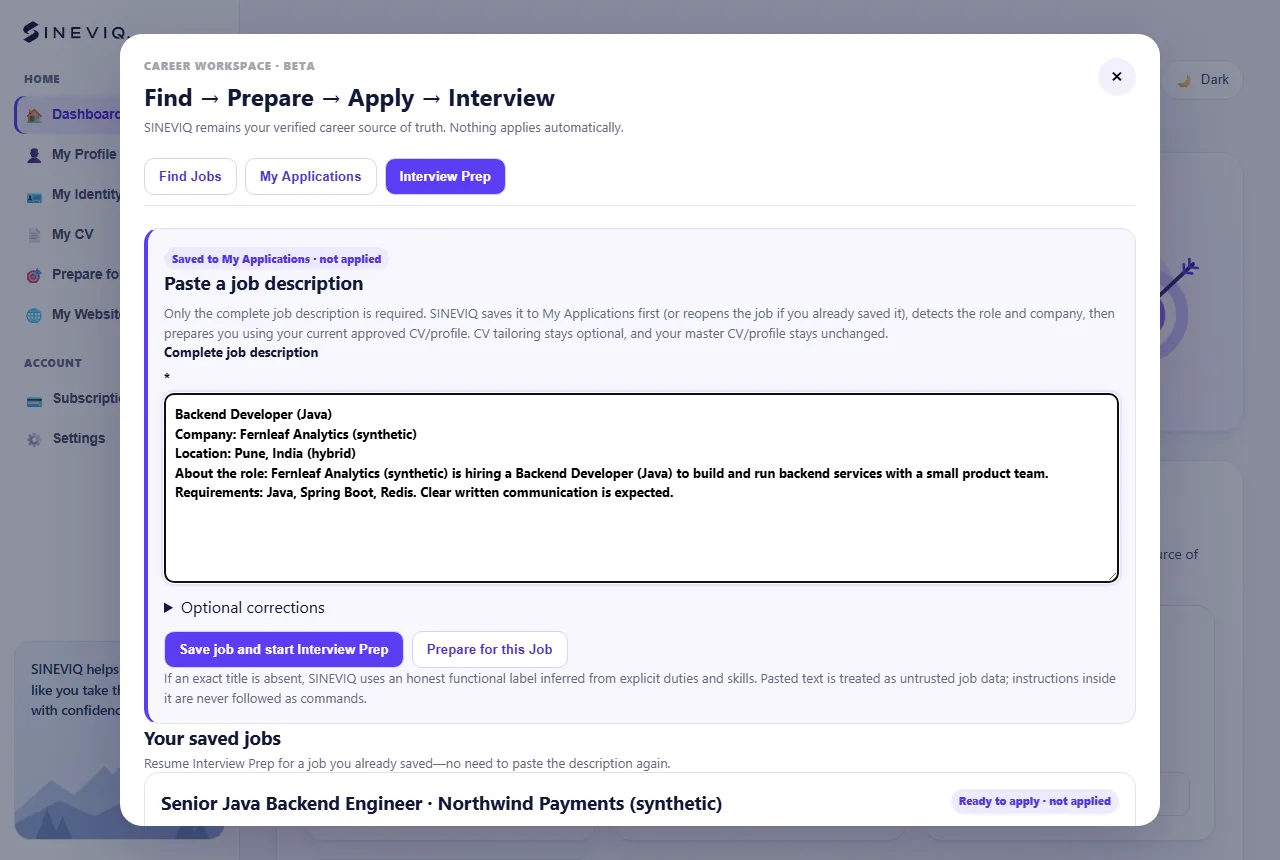
Already have an interview for a job you haven’t prepared? Open Interview Prep, paste the complete description and choose Save job and start Interview Prep. CV tailoring stays optional.
Pick the round you are preparing for: Recruiter / HR, Technical, System design, Hiring manager / behavioral or Final round. You can add the date and interviewer names.
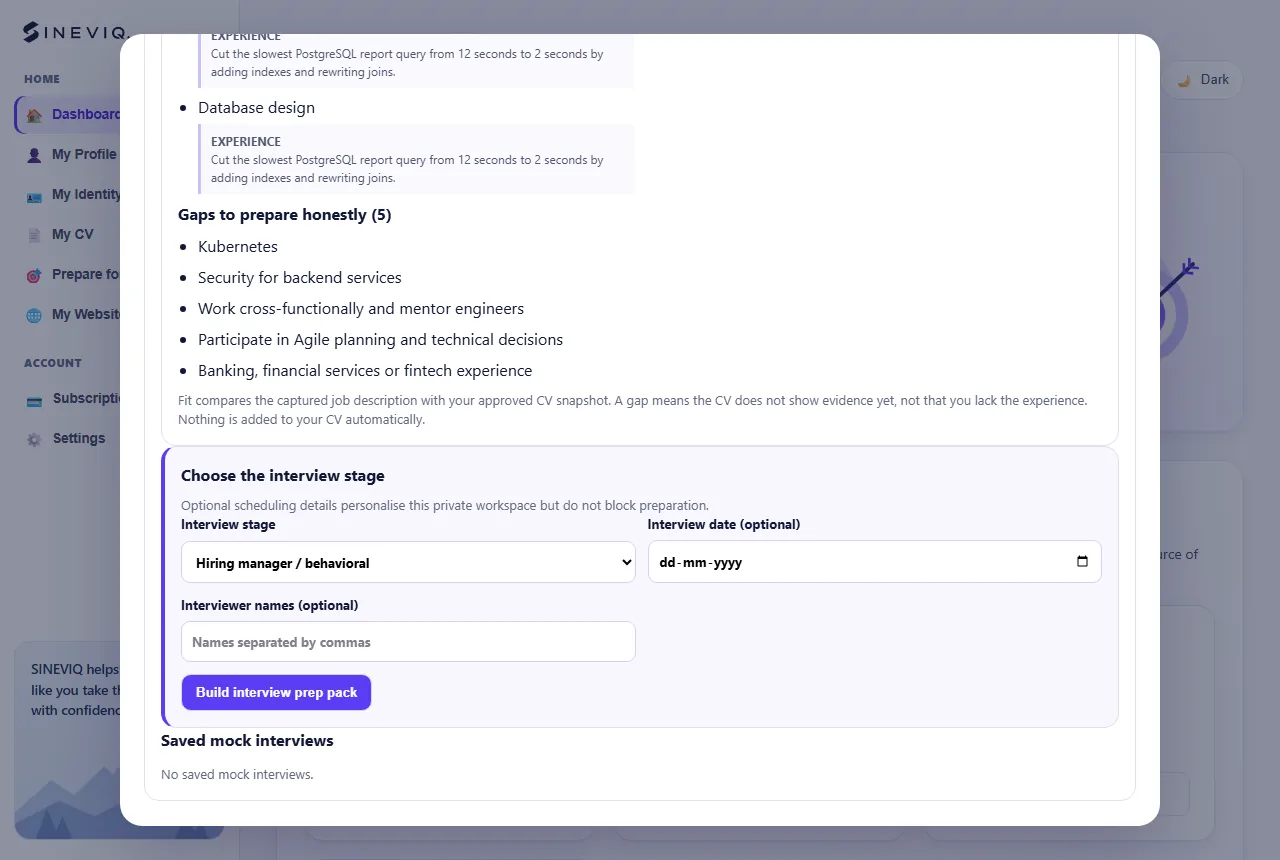
Choose Build interview prep pack. The pack is built from this job description and your approved CV: likely questions for the round, with the JD topic and the CV evidence that supports each one, plus STAR examples from your own experience, questions to ask the employer and a preparation plan.
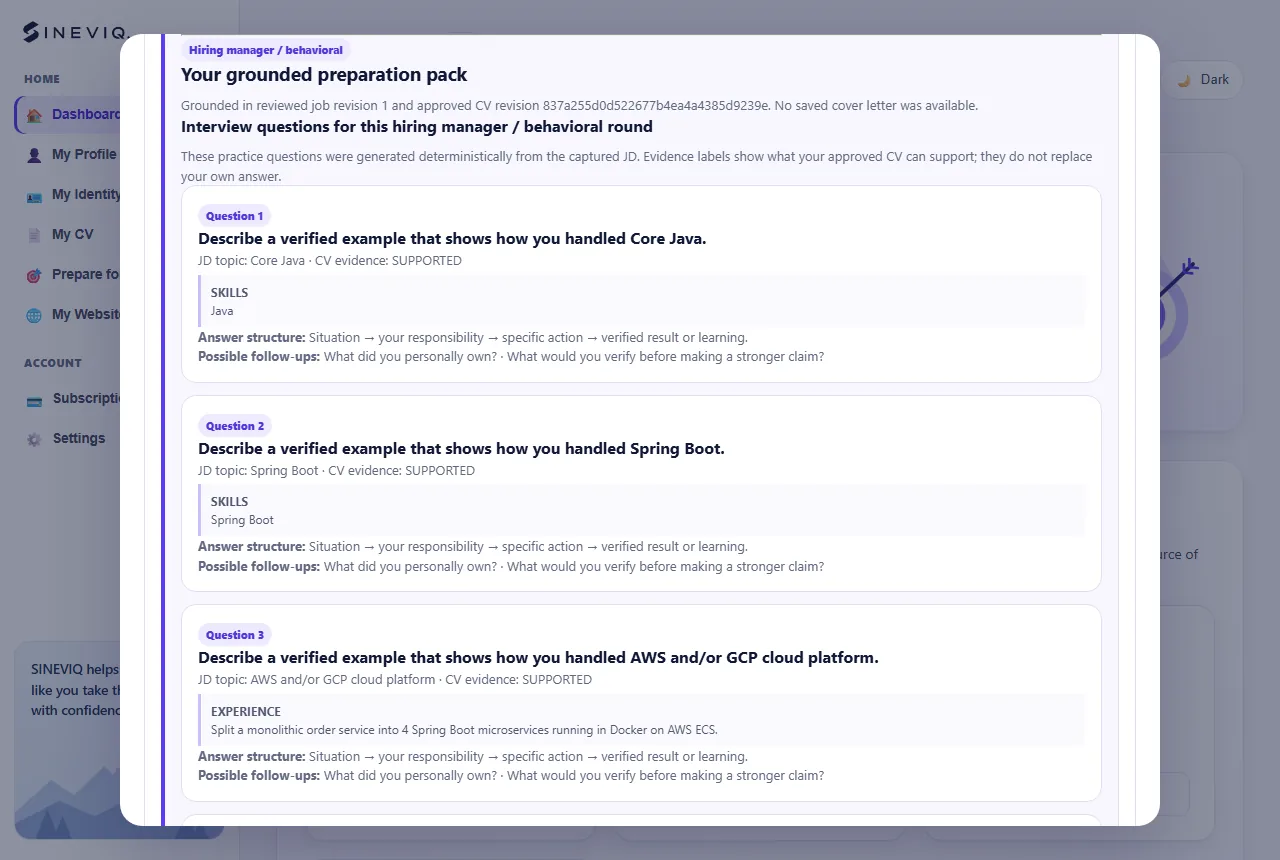
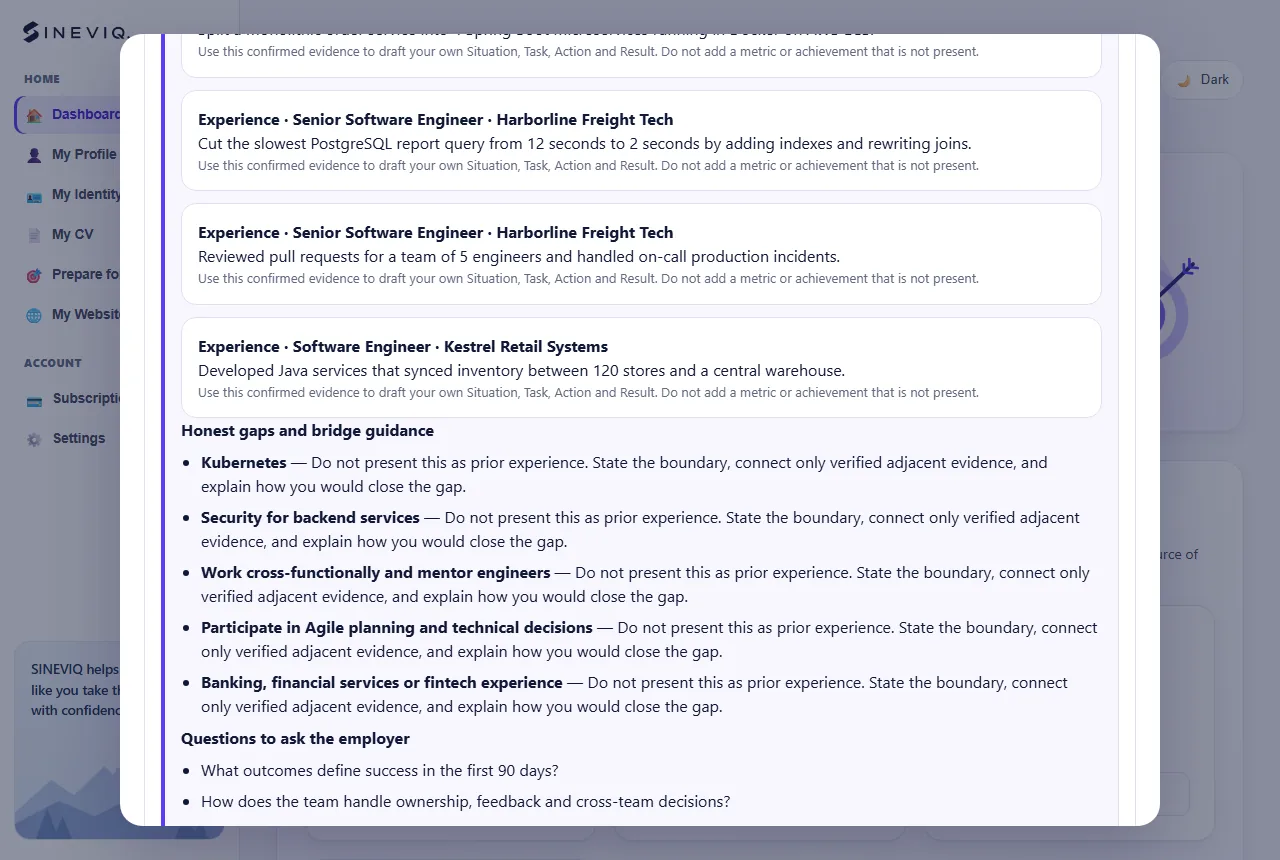
Honest gaps and bridge guidance lists requirements your CV doesn’t show, with ways to discuss related experience truthfully. It never invents experience.
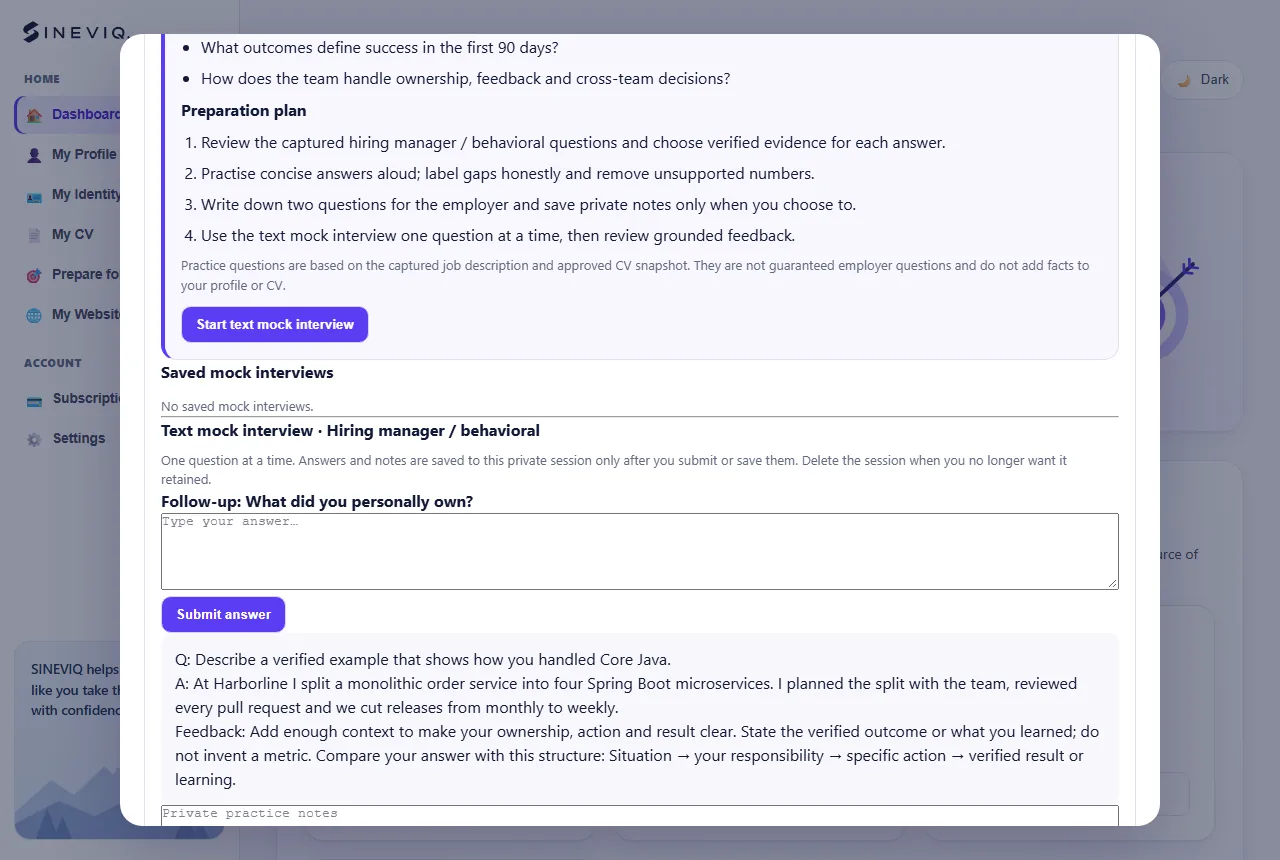
Choose Start text mock interview to answer one question at a time and get feedback on each answer. Sessions and notes are private, and you can delete a session at any time.
A public professional page with its own address, designs and a shareable digital card.
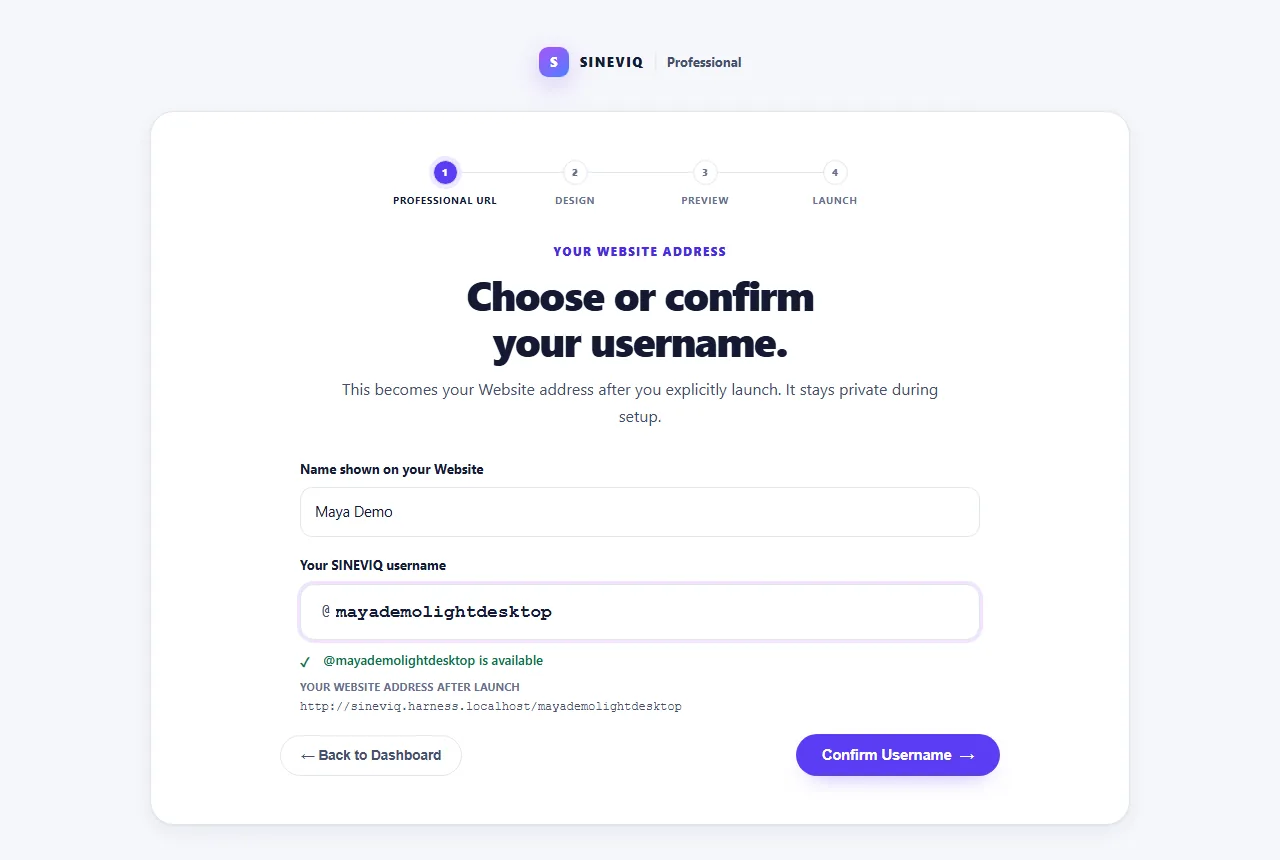
Sign in, then open My WebsiteOpen My Website and choose Choose professional URL. Pick a username; SINEVIQ checks it is available and shows your address, sineviq.com/your-username. It stays private until you launch.
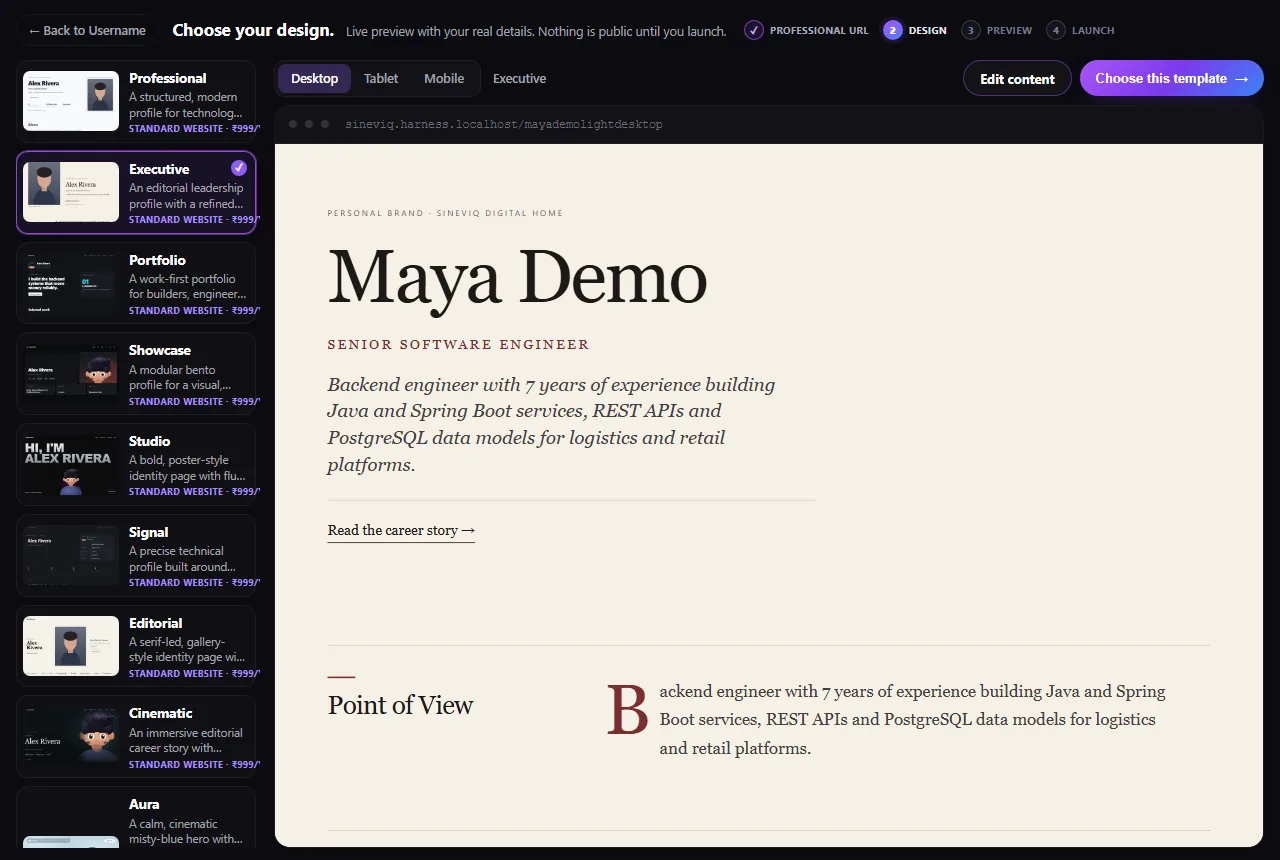
Browse the website templates (Professional, Executive, Portfolio, Showcase, Studio, Signal, Editorial and Cinematic) with a live preview of your own details on desktop, tablet and mobile. The animated Aura template needs the Motion Website plan.
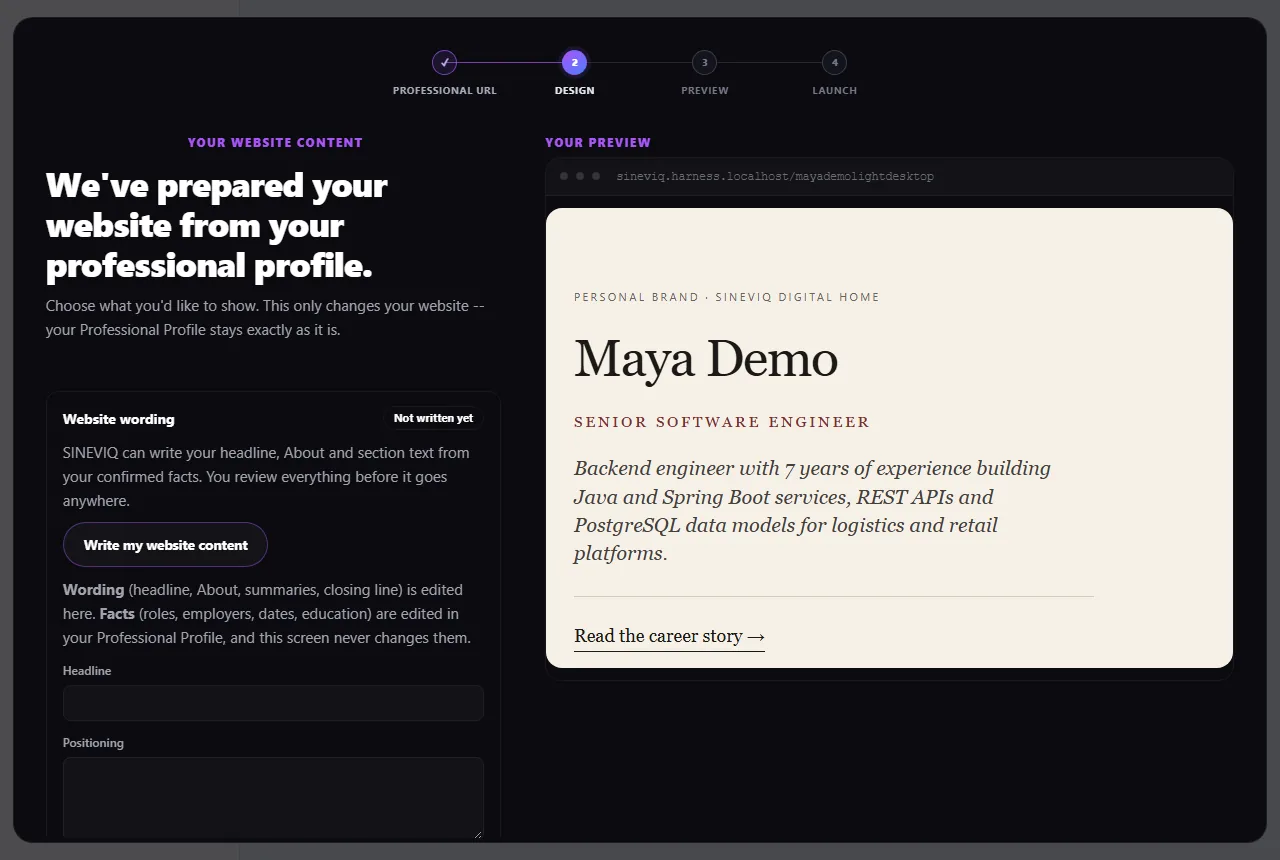
Choose Edit content to decide what your website shows: its wording, highlighted skills and professional links. Write my website content drafts your headline and About text from your confirmed facts for you to review. Facts such as roles and dates are edited only in My Profile.
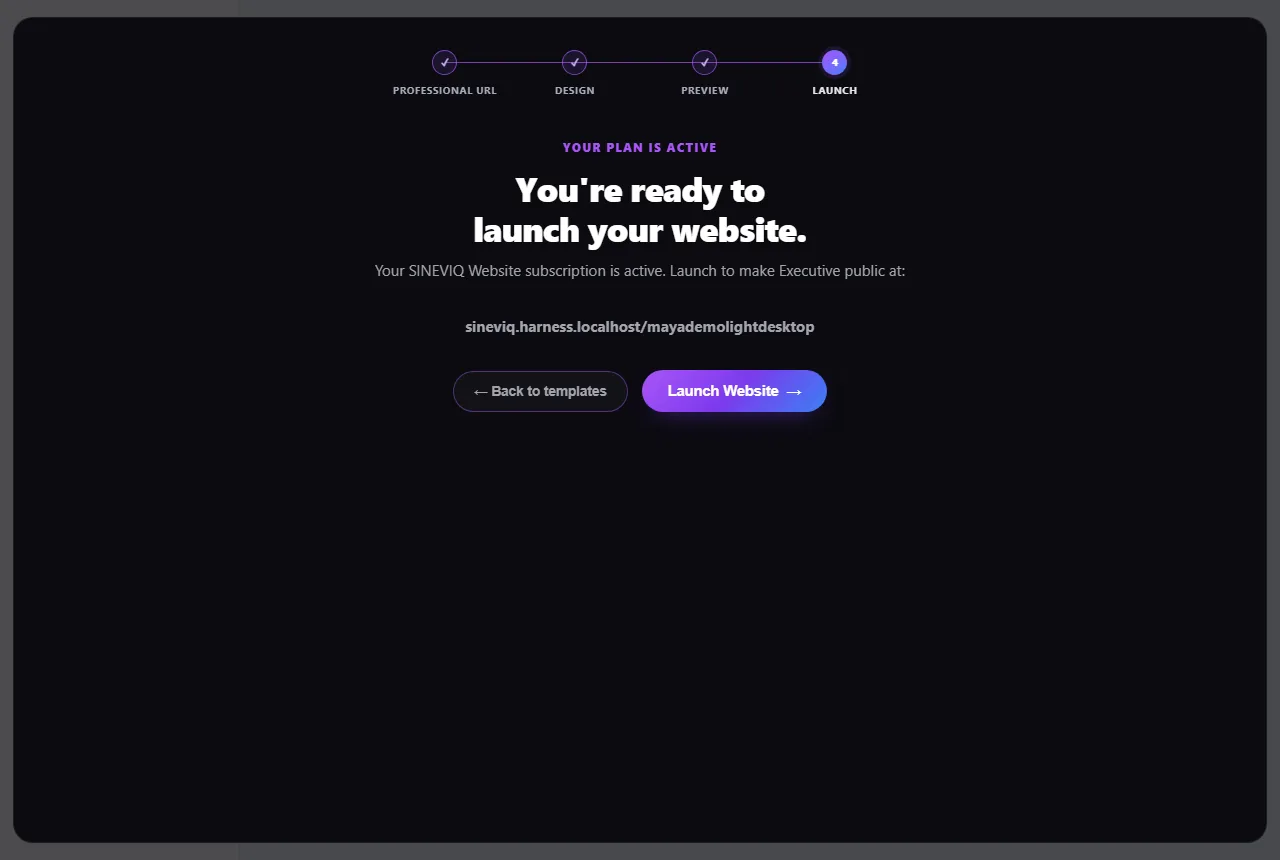
Check the full preview, then choose Launch Website. Your website goes live at your address. Later you can use Edit & republish, Change Design or unpublish it from My Identity.
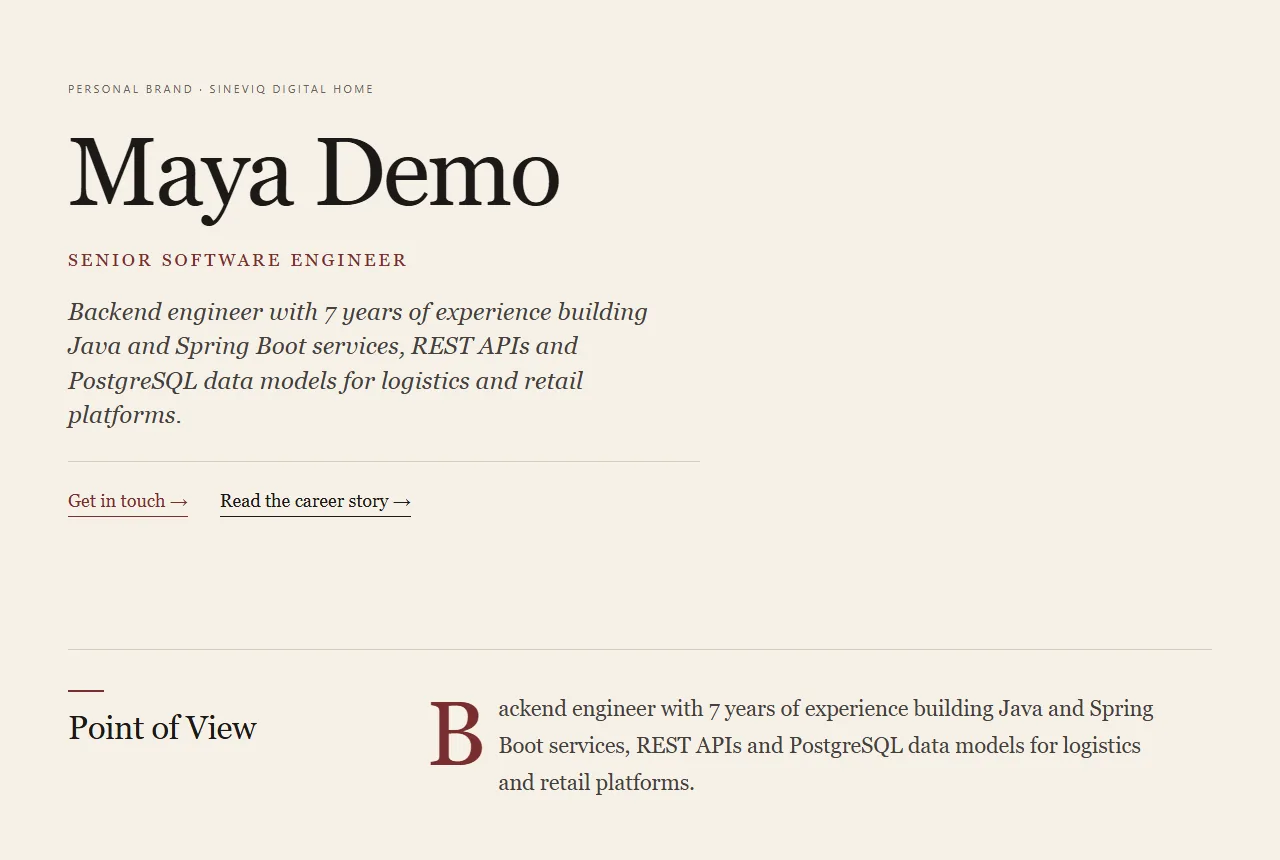
The published page has your name and role as its title, a short description, social-sharing previews and structured profile data, so links look right when shared and search engines can read the page.
Search engines decide whether and where to show any page; SINEVIQ can’t promise a ranking.
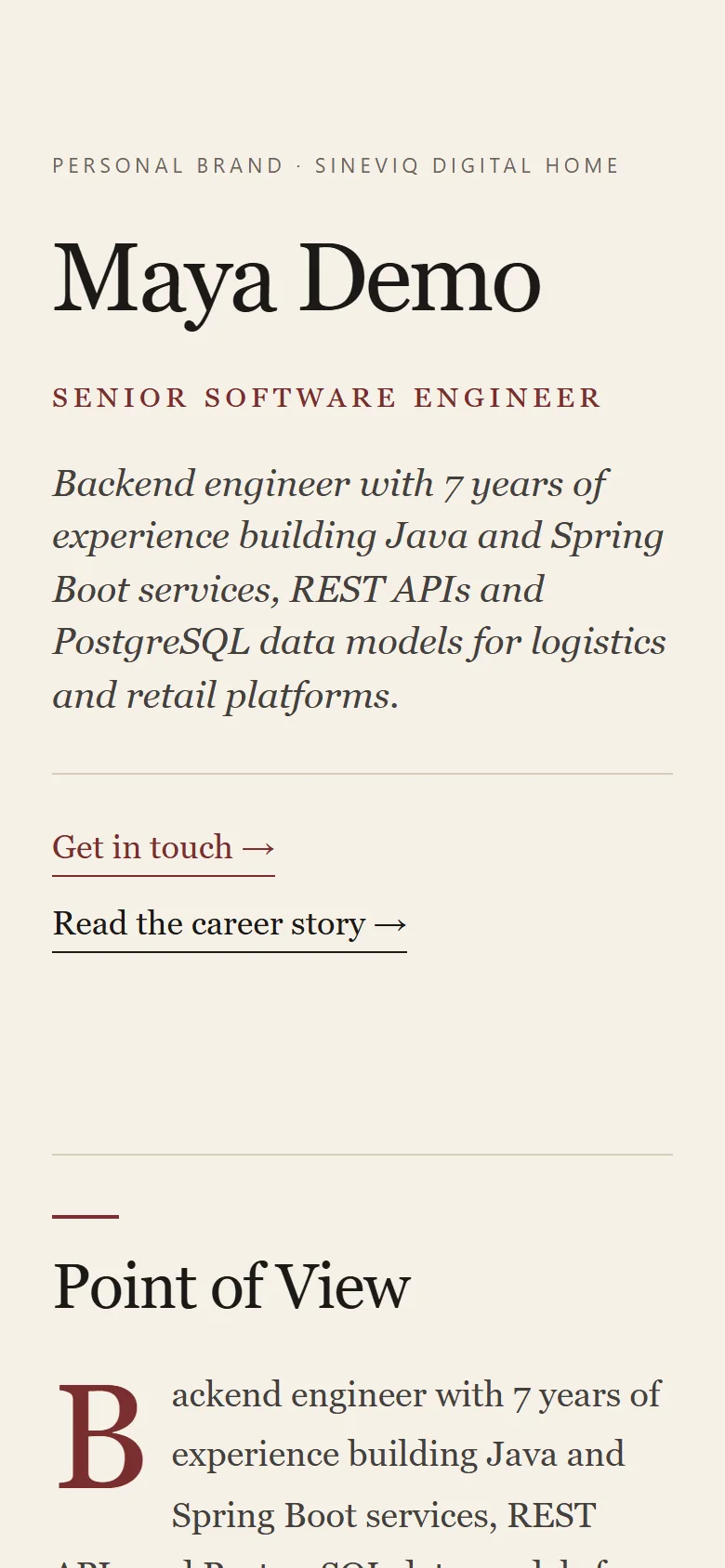
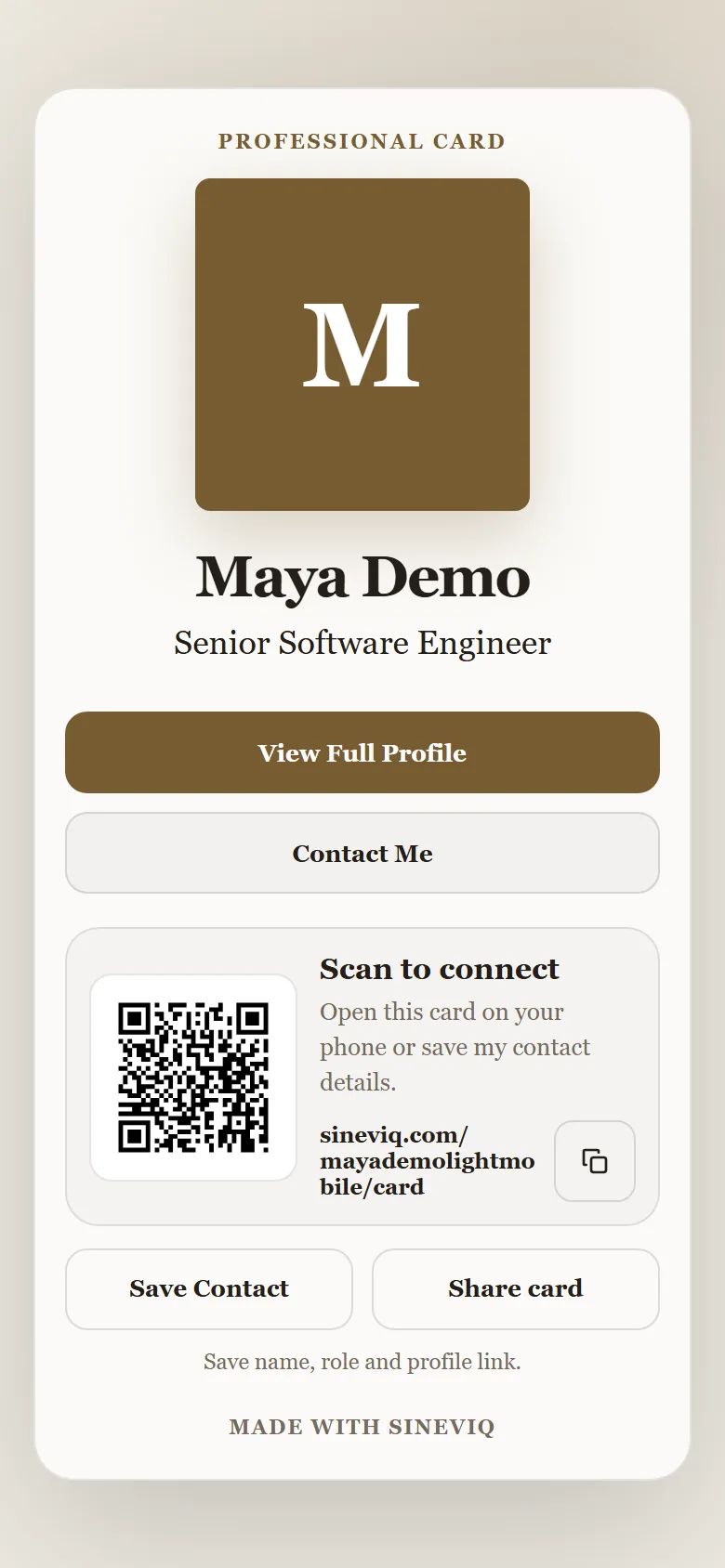
Once your website is live, choose Open your Digital Card on the dashboard. The card lives at your-address/card and shows a Scan to connect QR code, Share card, Save Contact (name, role and profile link) and Contact Me.
Resume, Job Preparation and Interview Prep share one saved context, so you never paste the same job twice.
Your confirmed profile. The source for every job.
The job description, its reviewed requirements, your confirmed answers and the job-specific CV.
Built from the same saved job and its approved CV, with mock practice.
Uses your profile facts and photo for a public website and digital card. It doesn’t change your CVs or jobs, and job preparation never needs it.
| When you start… | It reuses | Can start on its own? |
|---|---|---|
| Prepare for a job | Your master CV and confirmed profile | Yes, once your CV is added |
| Interview Prep from a saved job | The saved description, reviewed requirements and approved job-specific CV | Opens from the job |
| Interview Prep with a job description | Your master CV; the job is saved for you | Yes |
| Cover letter and CV PDF / ATS check | The saved job and its job-specific CV | Opens from the saved job |
| Digital Profile | Your profile facts and photo | Yes, with the Website plan |
| Find Jobs Not live yet | Shown as “Coming soon” in the Career Workspace | No |
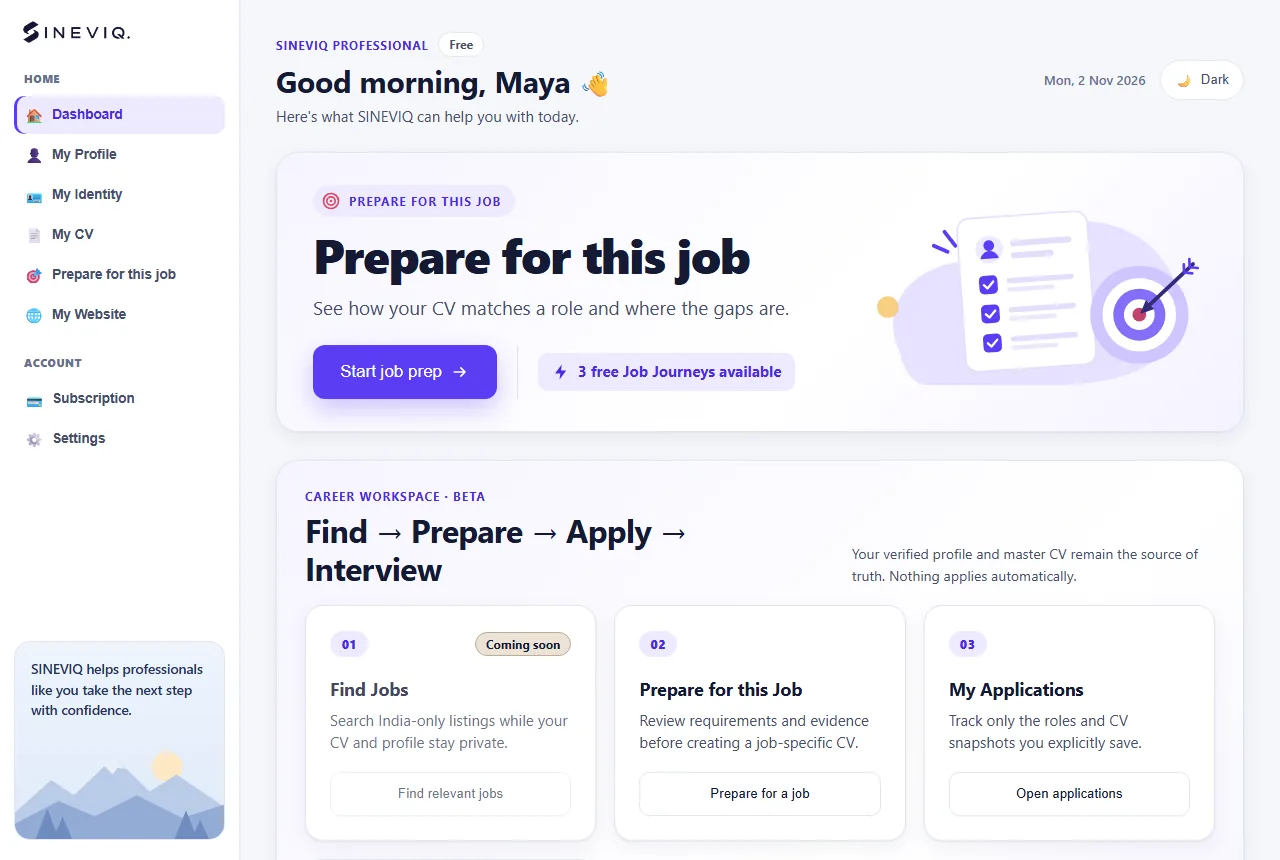
Job Preparation and the Digital Profile Website are separate products, billed and managed separately.
| What you can do | Free account | With a plan |
|---|---|---|
| Master CV: build, edit, preview and download | Free | Included |
| Job Journeys (one saved job: preparation, job-specific CV, cover letter, CV check, Interview Prep) | 3 for the lifetime of your account | One-time packs, or a monthly plan with a capped rollover |
| Improve CV (general AI review of your CV) | No | Motion Website plan |
| Digital Profile website, templates, clean address and Digital Card | Private profile only | Website plan, billed yearly; it also includes 5 Job Journeys a year |
| Animated Aura template | No | Motion Website plan |
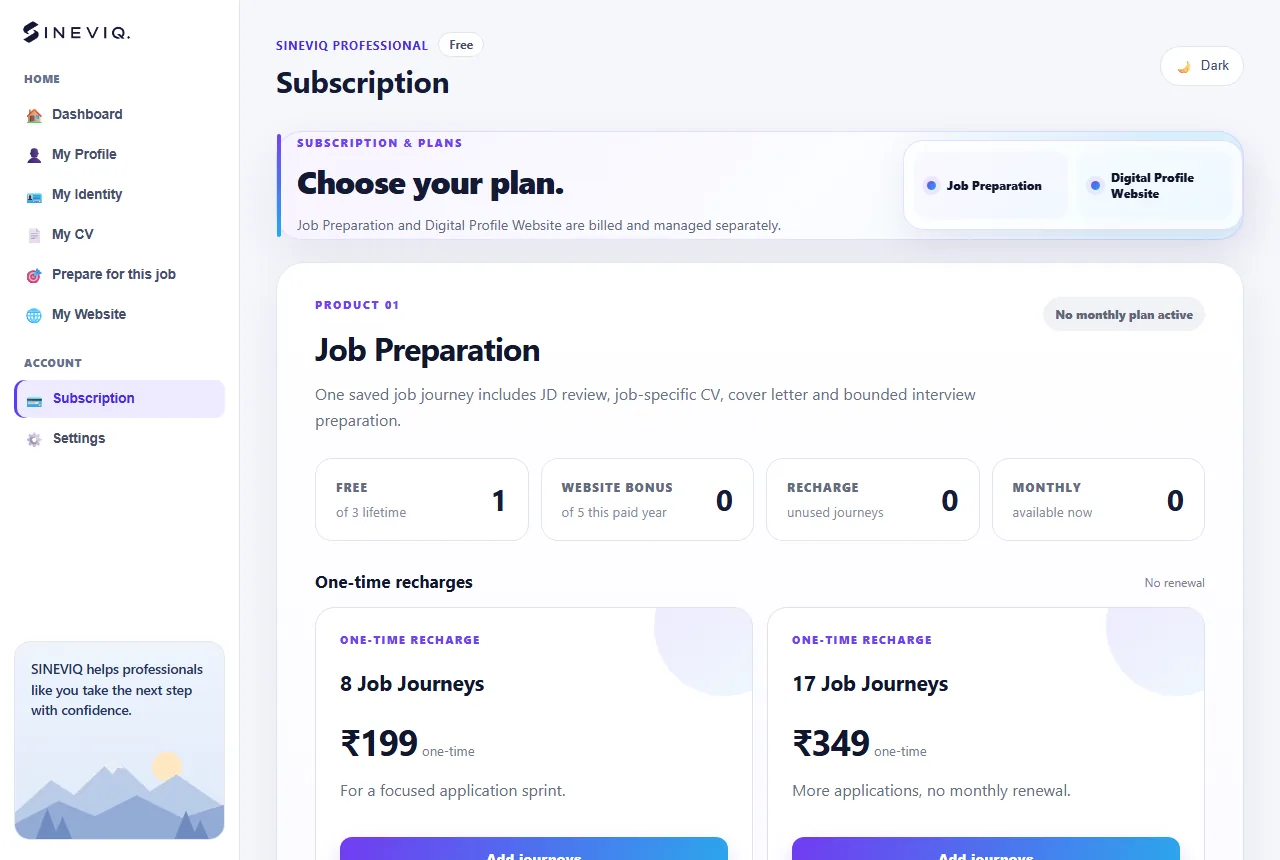
Start with your CV and one job description.Every account includes 3 free Job Journeys. No card needed.
Create your free accountScreenshots use a synthetic demo person, CV and job descriptions, and may differ slightly from what you see. SINEVIQ never adds experience, employers, dates or skills you haven’t confirmed, and never promises a job, an interview, an ATS pass or a search ranking.